How to add Live Darts to your Google News feed

Want Live Darts near the top of Google every time you search for a darts story? Set us as a preferred source. It’s two clicks and it’s free.
Google now lets you choose the news outlets you’d like to see more of in its Top Stories box. Most of the big national sites only really bother with darts around Christmas, when the World Championship is on. We’re here for the floor events, the European Tour weekends, the Premier League nights and the Q-School scramble, so it makes sense to have us on your list all year.
The quick way: use the button
Hit the button below. Google opens its source settings with Live-Darts already searched for. Tick the box and that’s it.
The other way: straight from a Google search
No luck with the button? Do it from the search results instead.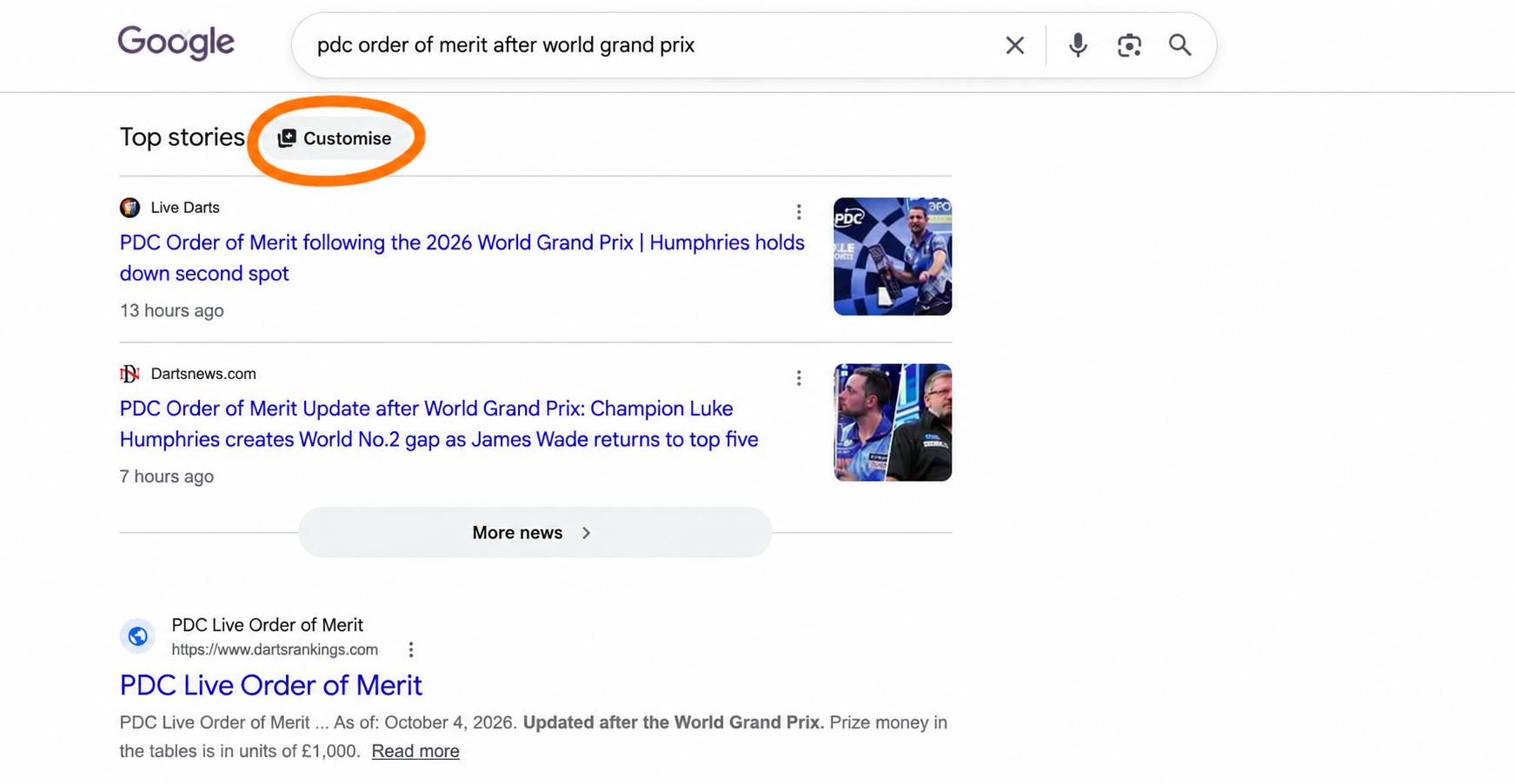
- Google something darts-related. “Luke Littler” works, since there’s always news on him.
- Look for the Top stories heading and click the Customise button beside it.
- In the search box, type “Live Darts” or “live-darts.com”.
- Tick the box next to us, making sure live-darts.com is the address shown underneath.
- Press Reload results and your search refreshes with us in the mix.
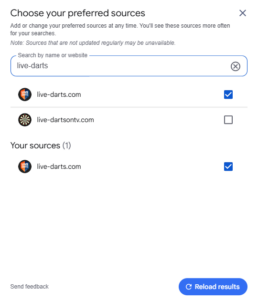
There are plenty of sites with “darts” in the name, so check the web address before you tick. Once you’ve added us, Live Darts shows up under Your sources at the bottom of the same panel.
What changes once you’ve added us
Search for a player, a tournament or a result and our coverage gets a better shot at the Top Stories slots. That means draw news, schedules, results and interviews from us before you’ve had to scroll. Have our PDC tournament calendar handy too and you won’t miss a session.
It doesn’t block anyone else. Google will still show you other outlets, it just leans towards the ones you’ve picked.
A few quick questions
Does it work on my phone?
Yes, as long as you’re signed in to your Google account. Your preferred sources are saved to the account, so they follow you from phone to laptop.
Can I take it off again?
Any time. Click Customise next to a Top stories heading and untick Live Darts.
How many sources can I add?
As many as you want. Pick a few you trust for darts and Google will do the rest.